Compendium
Run every project
on one board

One Board
Every project in one place

Clear Workload
See who’s busy at a glance

On Budget
Track revenue vs target

Quote to Invoice
Bill straight from the job
Compendium gives agency and software teams one place to plan work, balance the team and bill clients — the same workspace we use to run Celestial Code.
Book a live demo
- client projects run on Compendium
- 60+
- modules in one workspace
- 6
- timeline views, day to year
- 5
- place for work and billing
- 1
Introducing
Compendium
by Celestial Code
Where agency teams plan, ship and bill
Explore the modules Plan work on kanban boards per project.
 Schedule the week on a shared timeline.
 Keep meetings, leave and deadlines in one calendar.
 See every teammate’s workload at a glance.
 Track sales targets, billing and collections.
 Turn quotations into invoices in one click.

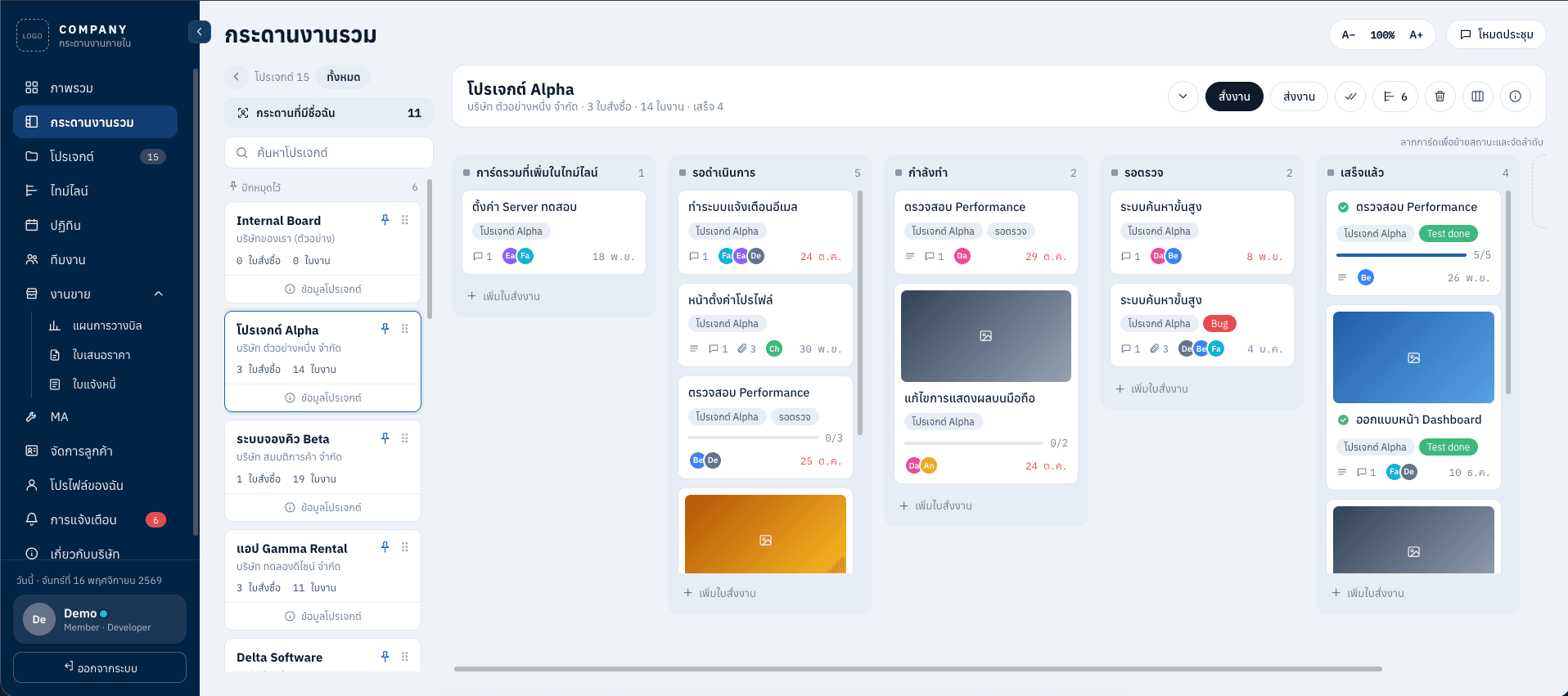
Turn every brief into a card your team can move.
Each project gets its own board of work-order cards. Attach screenshots, tag the owner and drag the card from to-do to done.
 Drag and drop status columns
- Screenshots, comments and tags on every card
- “My boards” filter for each teammate
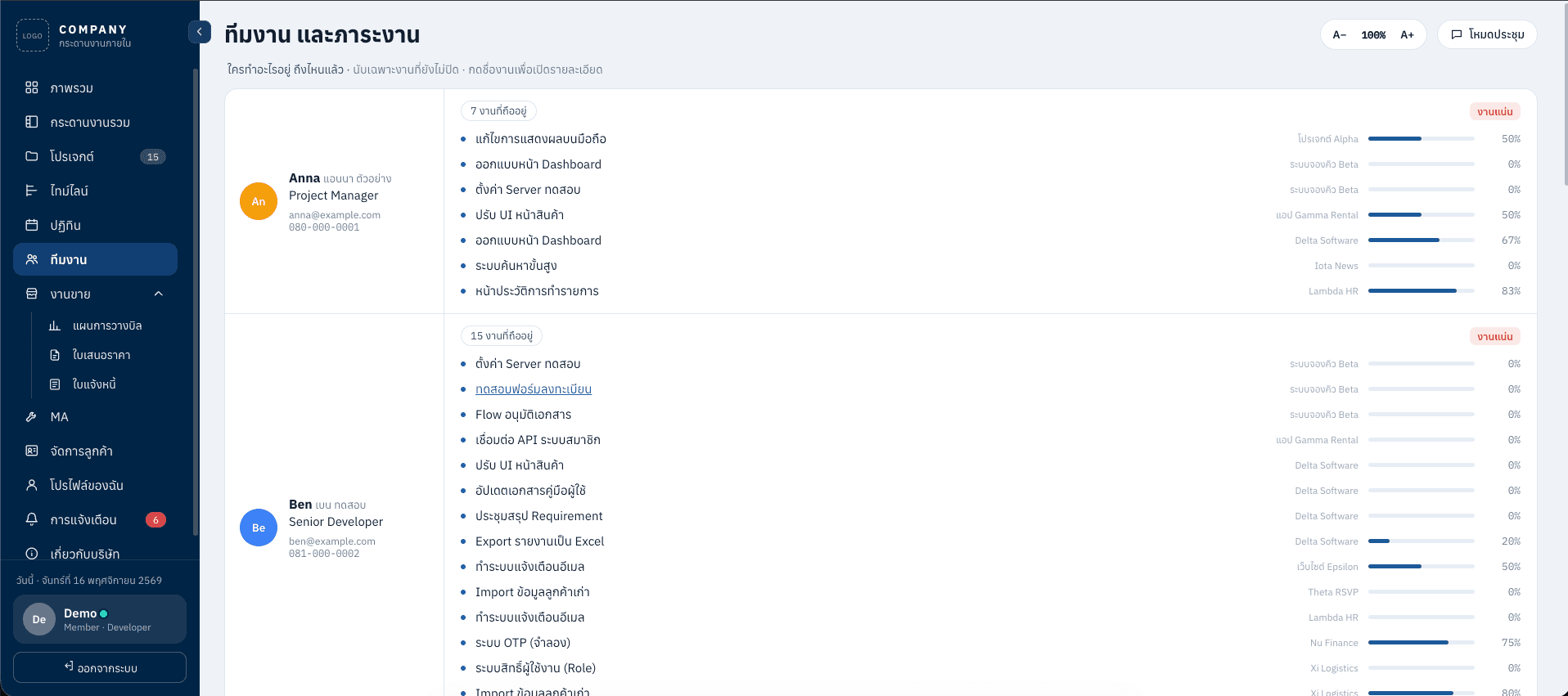
Know who’s busy before anyone burns out.
See every person’s open tasks and progress on one screen, so new work goes to whoever has room.
- Open tasks and progress per person
- “Busy” flag when someone is overloaded
- Jump from a task straight to its card
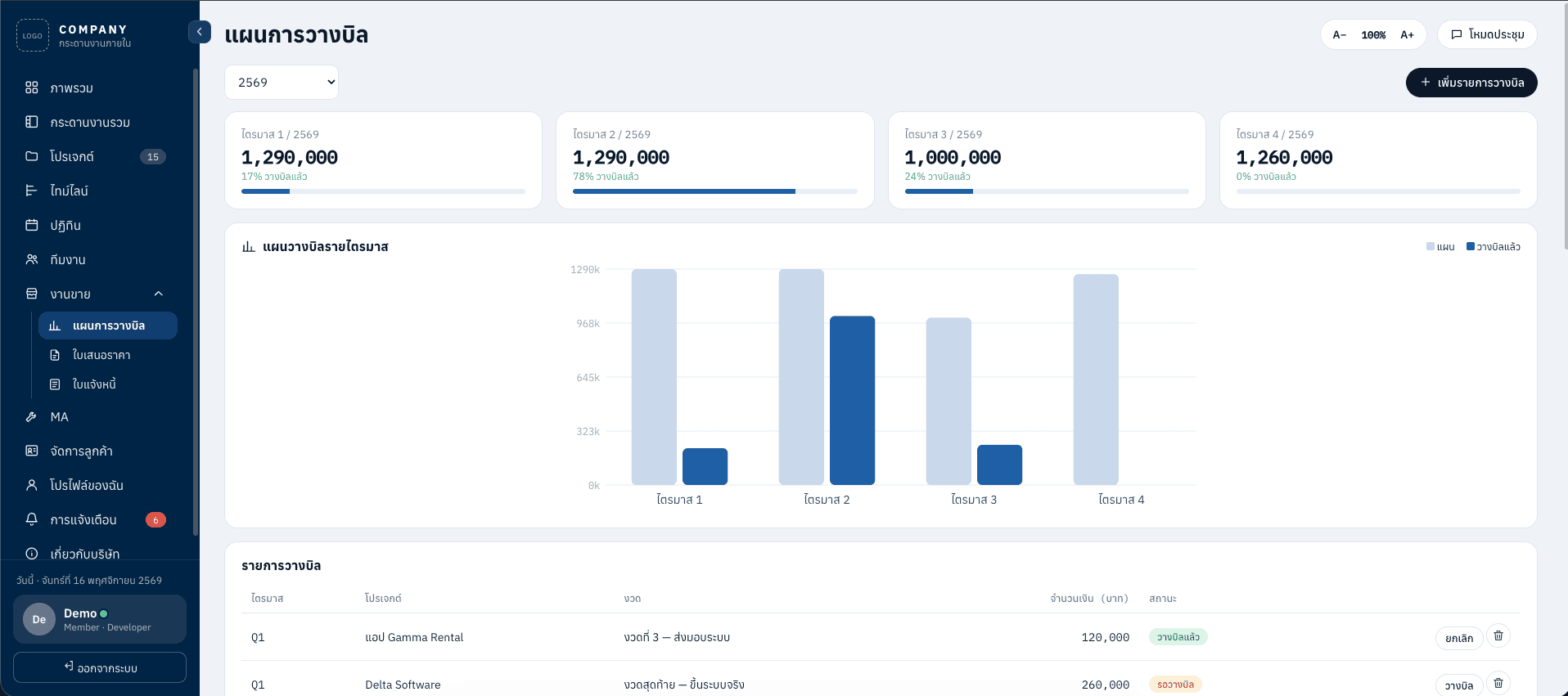
See revenue against target. Never miss an installment.
Track the yearly target against what’s sold, billed and collected. Quotations become invoices in a click, linked to the right project.
- Sold, billed and collected at a glance
- Upcoming installments sorted by due date
- Turn quotations into invoices with or without VAT
How it works
From first quotation to final invoice
- 01
Quote
Create a quotation and confirm it with the client.
- 02
Set up
Add the project and its purchase orders.
- 03
Break down
Turn the scope into cards on the board.
- 04
Plan
Schedule on the timeline and balance the team.
- 05
Bill
Follow the billing plan and issue invoices on time.
FAQ
Questions, answered
Is Compendium only for software companies?
Agencies, studios, consultancies and in-house teams can use it to deliver client projects. We built it to run Celestial Code’s own 60+ projects.
Can each person see only their own work?
The “My boards” filter helps each teammate find their work. Ask us about access controls for your team.
Can we issue quotations and invoices in Thai?
Ask for a demo of the quotation and invoice formats and bring a sample of the Thai document your team needs.
Can we import our existing projects?
Tell us how you store your project data so we can review the migration options with you.
Where is our data stored?
Contact us to discuss hosting and data residency requirements for your organization.
Still curious? Talk to us.
Tell us how your team manages client projects.

 LINE