ICU Div.
Watch AnyTime fromAnywhere

Real-time
Every breath, live on screen


Remote Access
Check connected beds remotely

Auto Record
Readings together in one record

Alarm Alerts
See changes in bed status
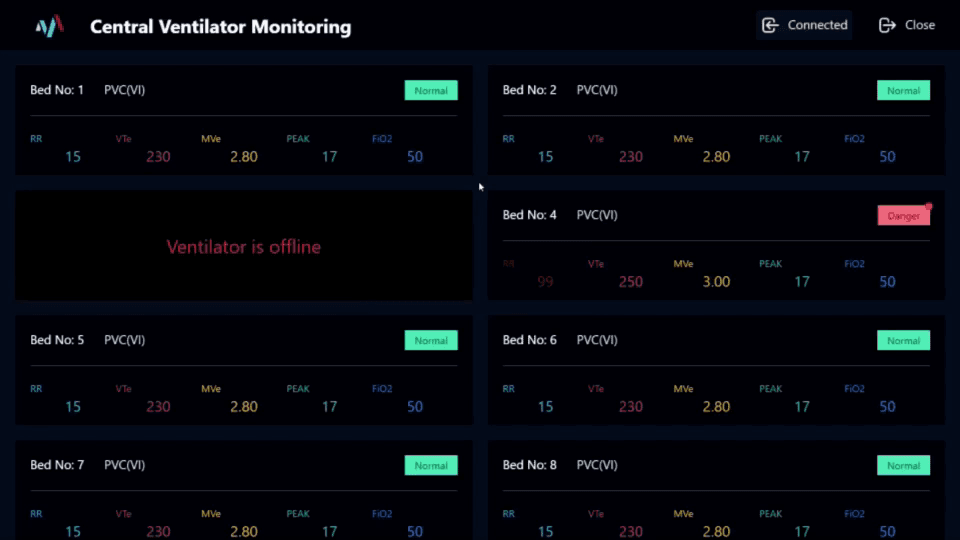
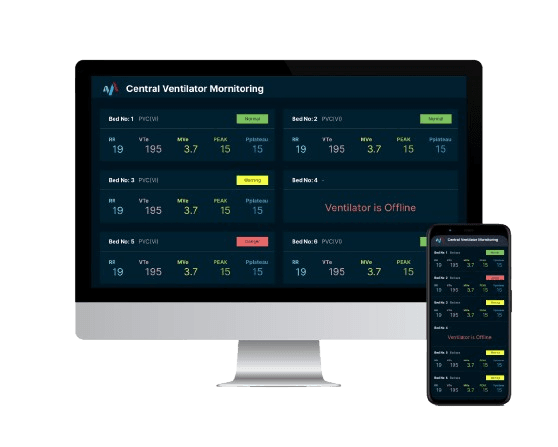
Central Vent brings live data from connected ventilators to the nurses’ desk. See bed status, waveforms and history, with web access for your care team.
Book a live demo


- 24/7
- central monitoring at the nurses’ desk
- Live
- waveforms: pressure, flow and volume
- Any
- device — desktop, tablet or mobile
- History
- ventilation records, from start to end

From bedsideto any screen
Compatible ventilators send data over an RS232 cable or wireless connection to the Central Vent workstation. Nurses add notes and lab results, while the care team follows connected beds from the web app.


RS232 connection
See every breath, in real time.
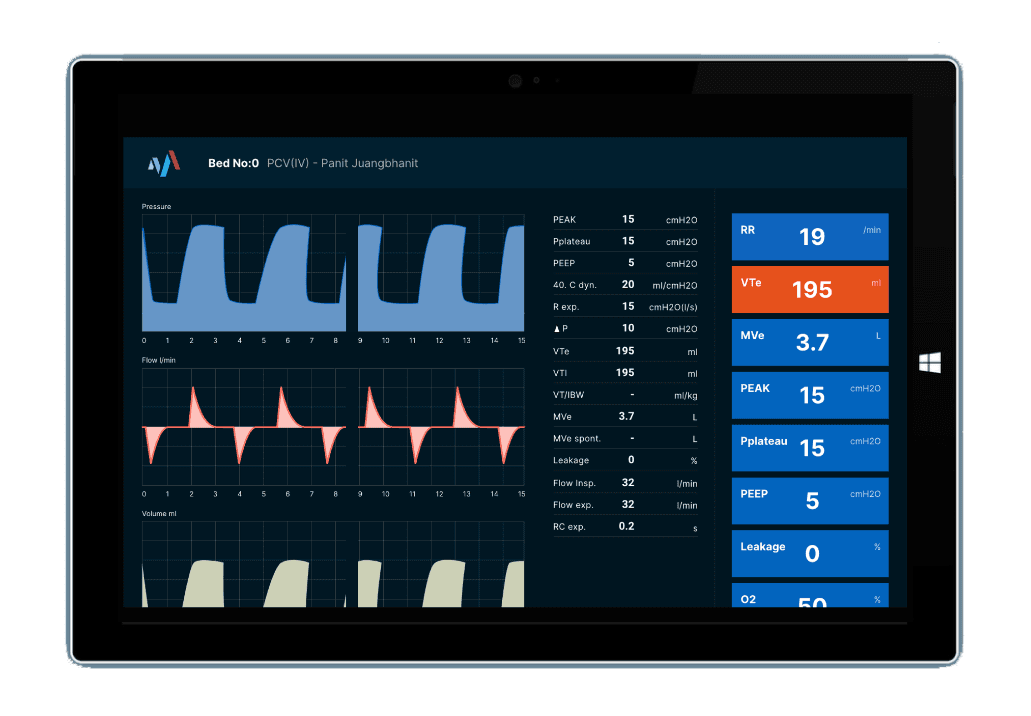
Open a connected bed to see pressure, flow and volume waveforms beside readings such as RR, VTe, MVe, PEAK, Pplateau, PEEP, leakage and O₂.
 Status per bed: normal, warning, danger, offline
- Waveforms and ventilation parameters together
- Alerts for the events your team follows
A full record, from start to finish.
Review recorded ventilation sessions on a timeline, revisit alerts and see when events occurred. Keep notes and lab files with the same record.
- Review the recorded history for each bed
- Event markers along the session timeline
- Nurse notes and lab files kept with the record
 LIVE

Less copying. More time for care.
Nurse notes are partly filled from connected ventilator readings, helping the team reduce manual transcription. Add comments and attach lab results such as blood gas.
- Auto-filled readings at each round
- Add comments and attached documents
- Keep notes alongside ventilation history
| Date / time | RR (/min) | VTe (ml) | MVe (L) | PEAK (cmH₂O) | PEEP (cmH₂O) | Comment |
|---|---|---|---|---|---|---|
| 05/11/2026 09:30 | 19 | 195 | 3.7 | 15 | 5 | - |
| 05/11/2026 10:00 | 19 | 195 | 3.7 | 15 | 5 | - |
| 05/11/2026 10:30 | 19 | 195 | 3.7 | 15 | 5 | - |
| 05/11/2026 11:00 | 19 | 195 | 3.7 | 15 | 5 | - |
| 05/11/2026 11:30 | 19 | 195 | 3.7 | 15 | 5 | - |
| 05/11/2026 12:00 | 19 | 195 | 3.7 | 15 | 5 | Watch closely every 30 min |
Lab results where you need them.
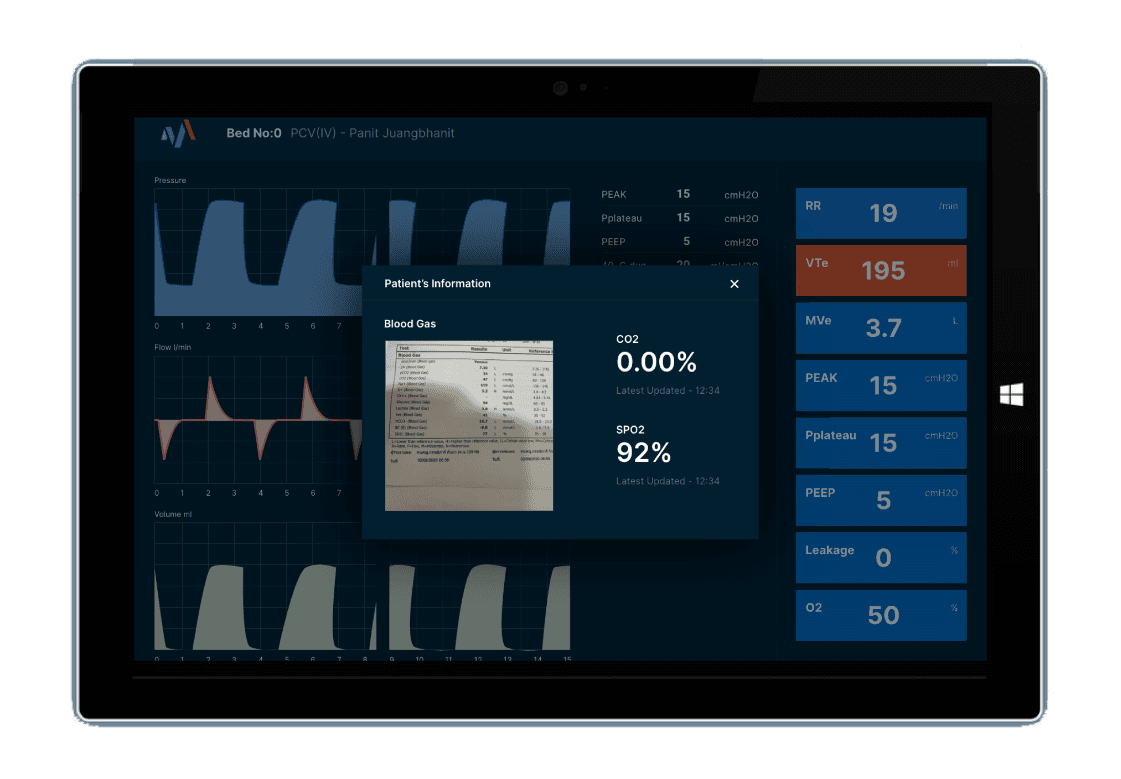
Keep patient information with the ventilator record — name, HN, doctor and nurse — alongside blood gas results and recorded SpO₂ and CO₂ values.
- Patient information and care team details
- Attach blood gas results from the lab
- View recorded SpO₂ and CO₂ together
Anytime, anywhere with internet.
Doctors and nurses can view connected beds from a phone, tablet or laptop through the web app. Ask us about access settings and network requirements for your hospital.
- Access through a modern browser
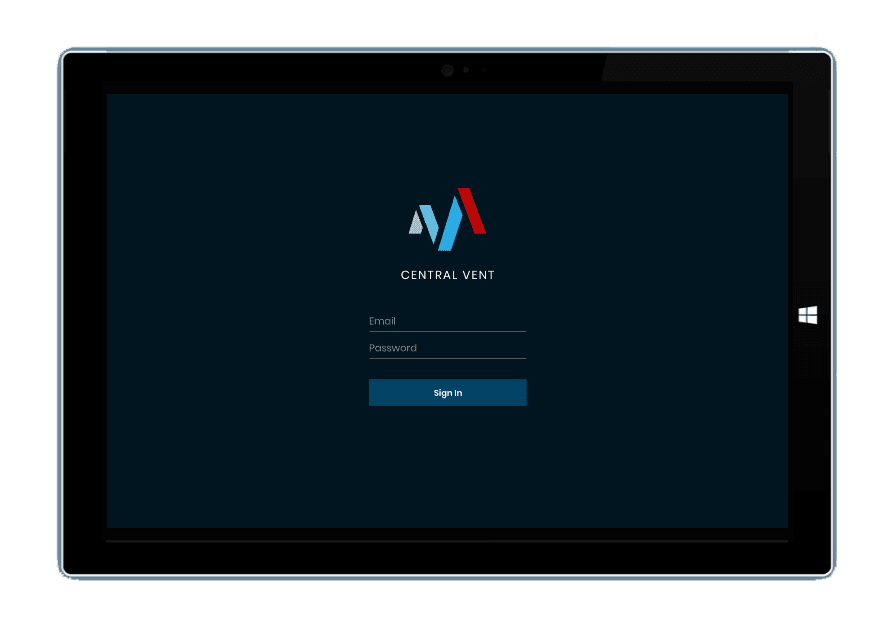
- Sign-in for the care team
- View waveforms on mobile, too
FAQ
Questions,answered
Which ventilators does Central Vent support?

Send us the brand and model of your ventilators. Our team will confirm compatibility, available data and the connection method before proposing a setup.
How many beds can one workstation monitor?
The appropriate setup depends on your connected equipment, ward layout and network. Tell us how many beds you need to monitor so we can review the configuration with you.
Do staff need to install an app?
The remote view is accessed through a web browser. Contact us to confirm supported devices and your hospital’s network requirements.
How is patient data protected?
Ask our team about access controls, hosting and data handling for your proposed installation so your hospital can review them against its requirements.
Can we connect it to our hospital system (HIS)?
Share your HIS and the information you want to exchange. We will review the available interfaces and confirm the integration scope with your team.
Still Curious? Talk to us.
Tell us about your hospital’s monitoring needs.

 LINE